Inbox-Accurate Previews
Catch rendering issues before subscribers do.
See how your email renders in real clients and devices, not just simulated previews. Compare layouts and spot visual issues across desktop and mobile before launch.
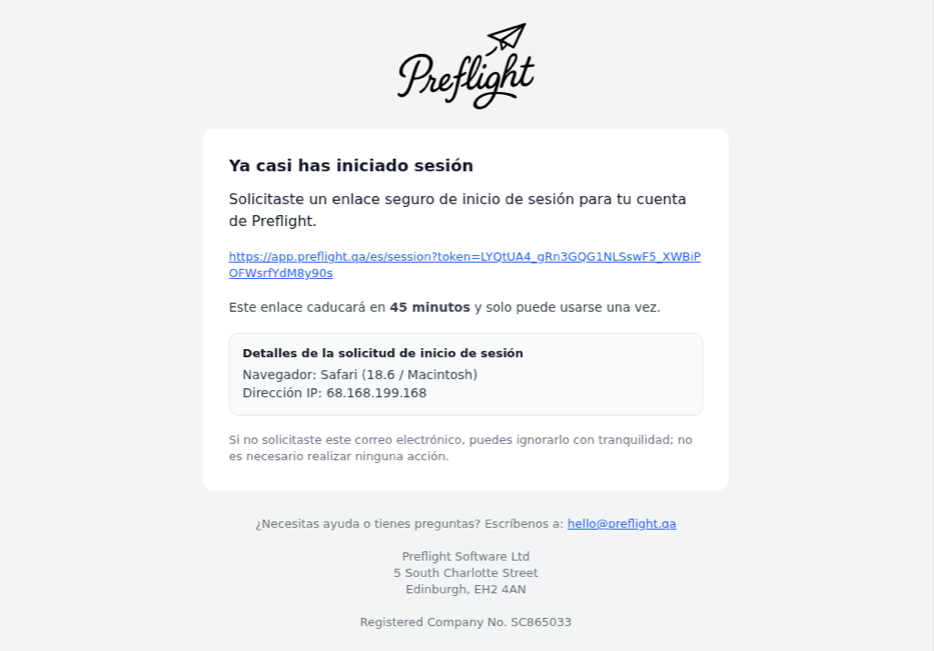
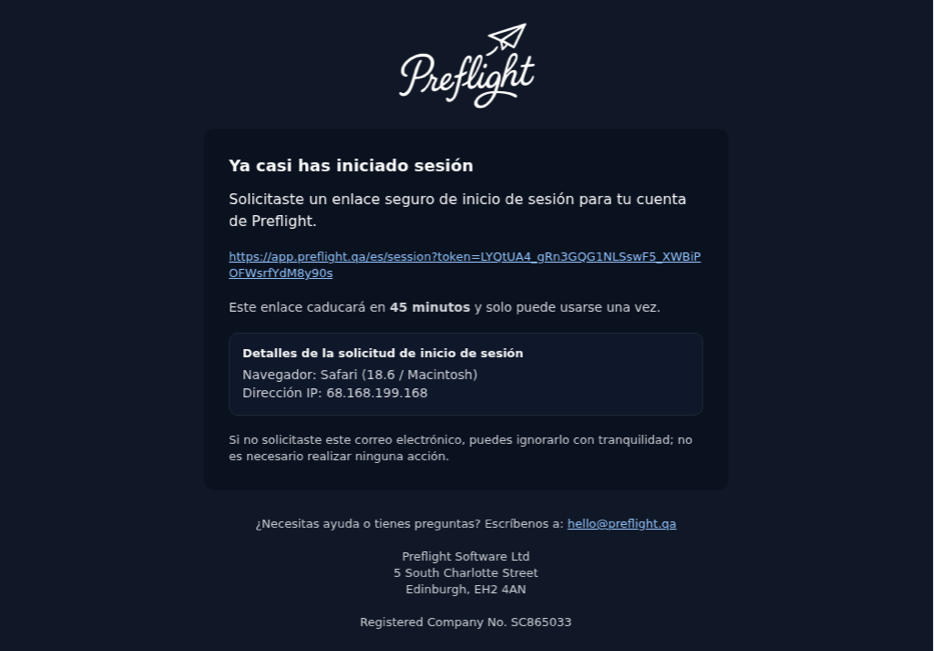
Every device. Both modes.
Preview your email in light and dark mode across the apps and devices your subscribers actually use.
Compare renders quickly, spot layout issues early, and review screenshots before launch.
Real apps, real hardware
Preflight captures screenshots from real email apps running on managed hardware, so what you review is aligned with how subscribers actually see your campaign.
| Software Application | Light Mode | Dark Mode | Forced Dark | |
|---|---|---|---|---|
| Apple Mail | Apple Mail (iPad) iPadOS 26.4.2 running on iPad (A16) | — | ||
| Apple Mail (Mac) MacOS Tahoe 26.3 / Version 16.111.2 (26072617) running on Mac Mini (M4) | — | |||
| Microsoft Outlook | Windows Outlook (classic) New! Windows 11 / Office 2021 Outlook | — | ||
| Outlook for Mac MacOS Tahoe 26.3 / Version 16.106 (26020821) running on Mac Mini (M4) | — | |||
| Web Browser | Google Chrome We regularly update Chrome to run the current Stable Channel version. Screenshots captured on AMD-based hardware with mobile (390px), tablet (1024px), desktop (1440px) width viewports. | |||
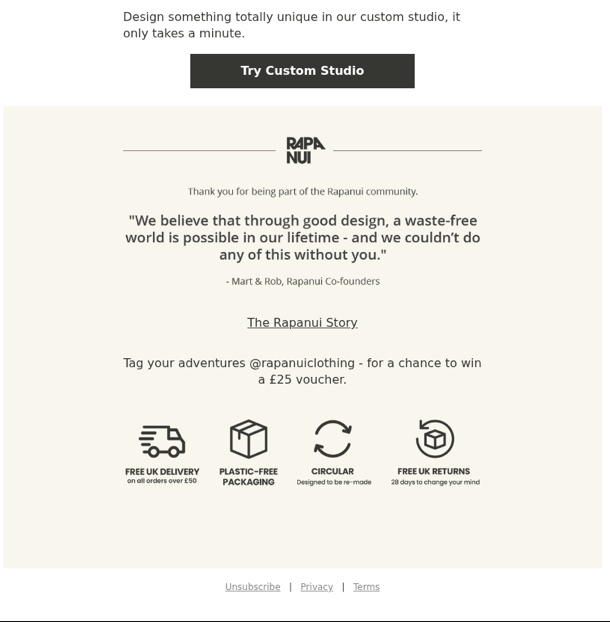
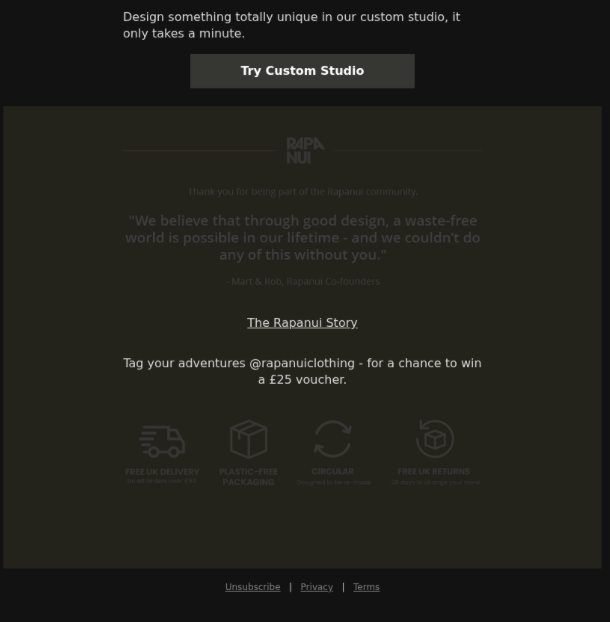
Forced dark mode
Preview forced dark mode rendering in Chrome to catch algorithmic color inversions and contrast regressions before launch.
These inversions are common in many Android email clients, including Gmail, Samsung Mail, Yahoo, K-9, and GMX.
Use this alongside light and dark mode captures to validate text readability, brand colors, and CTA visibility.
Ready to catch issues before you send?
See real screenshots, review accessibility findings, and check delivery signals in one place.
Try Preflight free for 14 daysNo charge today. Cancel anytime before your trial ends.